Bramble
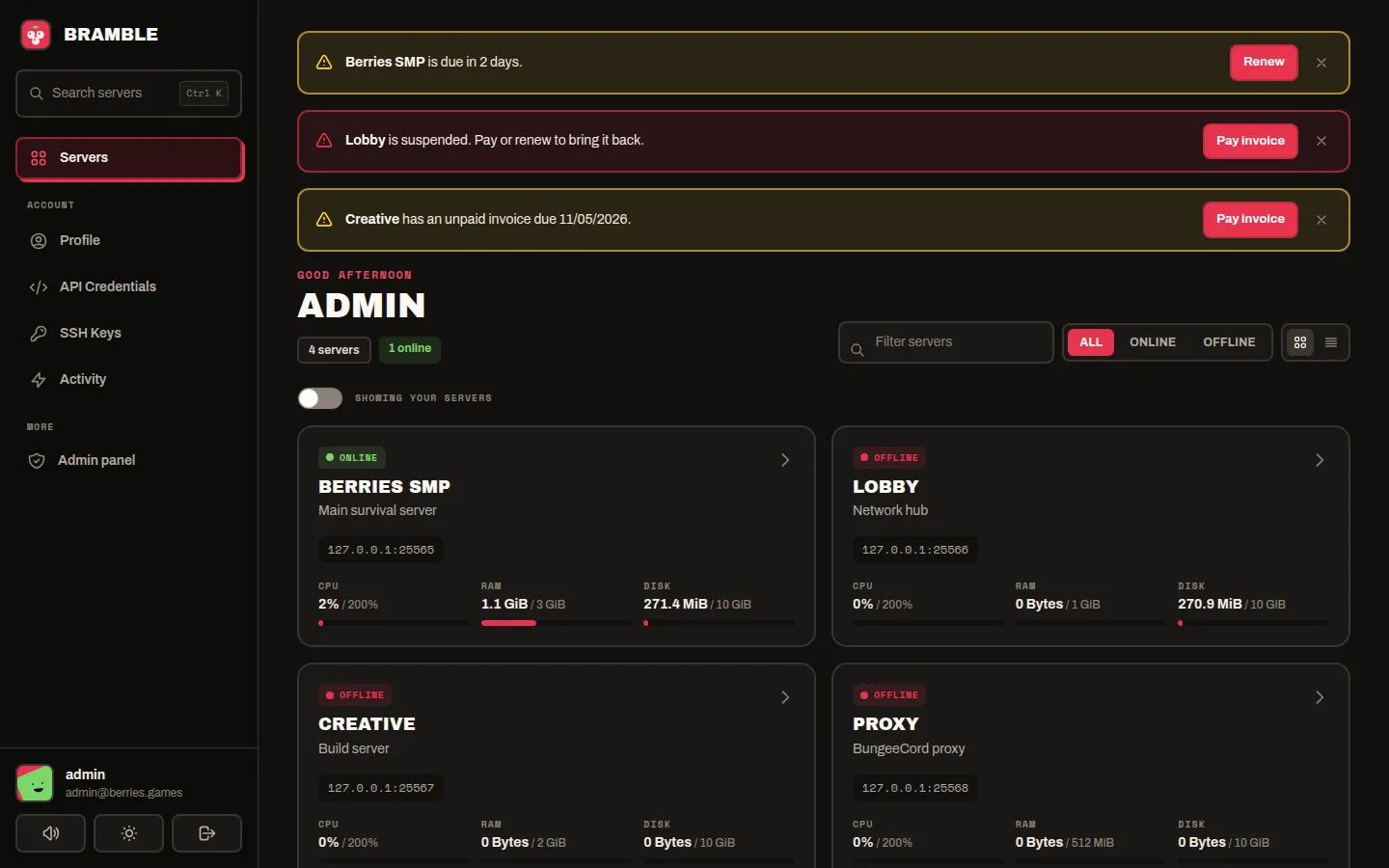
A full redesign of the Pterodactyl panel: the player panel, the admin area and the sign-in screens. Five presets with their own dark and light versions, interface sounds, and billing details from WHMCS, Paymenter or DezerX Spartan. Change everything from the admin area, with no rebuild.
Features
- Five presets. Bramble (warm black and berry red), Nebula, Lava, Carbon and Mono. Each has its own hand-made dark and light version. Pick one, or put your own accent colour on top.
- Players choose. Players can switch between dark and light, and (if you allow it) pick their own preset. Their choice is remembered in their browser.
- A sidebar layout. Search with Ctrl K, a live server card on every server page, and a drawer on phones.
- Dashboard and console. Server cards with live CPU, memory and disk; status, node and address on the console; usage tiles that turn yellow then red; themed graphs.
- Sign-in screens. A drifting picture wall on large screens with your headline, fields with icons and a show-password eye, a real "Keep me signed in" option, and an optional demo account button.
- Interface sounds. Soft sounds when a server comes online or stops, for power buttons, saved changes, errors and billing alerts. Made in the browser, no files. Players can mute them.
- Billing. Each server's plan, price, due date and unpaid invoice on its console page, with "Pay invoice" and "Manage this service" buttons, and warnings when a server is due soon, overdue or suspended. Works with WHMCS, Paymenter and DezerX Spartan.
- The admin area too. Every admin page restyled, a new overview dashboard, and an Admin → Theme page for all of the above.
- Safe to install. The installer backs up every file it replaces; the uninstaller puts them all back.
Requirements
| Panel | Pterodactyl 1.15.x |
| To build | Node.js 22 or newer and Yarn (the same as any panel build) |
| Access | A shell on the panel's server, as the user that owns the panel files |
| Billing (optional) | WHMCS, Paymenter or DezerX Spartan, with an API key |
Where to next
- Install it.
- Pick a preset and add your logo on the looks & branding page.
- Set up the sign-in screens.
- Selling servers? Connect your billing system.
Tip: stuck? The FAQ covers the usual questions, and our Discord has a Product Support ticket button.